
Please review the Hourly and Semi-Annual Data Dictionary Templates found on the EV Charger Data and Reliability Standards page prior to data submission. The following video tutorial walks through the steps outlined in the instructions below.
Step 1: Log in to DSP
Log in to the Data Submission Portal (DSP).
Note: If you are not registered for the DSP, first navigate to Data Submission Portal Registration before continuing.
Step 2: Select “EV-CARR”
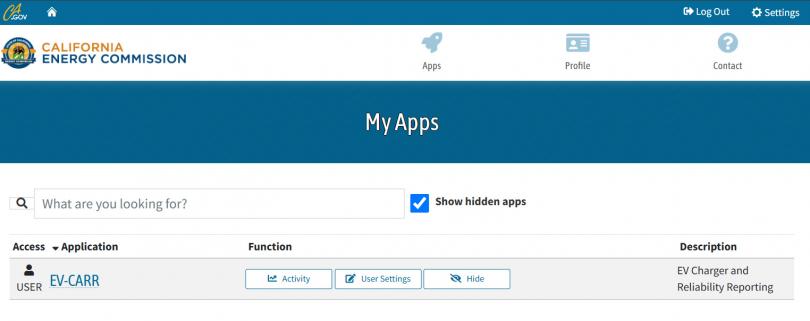
Select “EV-CARR” application under “My Apps”. If EV-CARR does not appear under “My Apps”, select “Show hidden apps” to reveal the application, then request access to the EV-CARR app.
Step 3: Review Application Landing Page
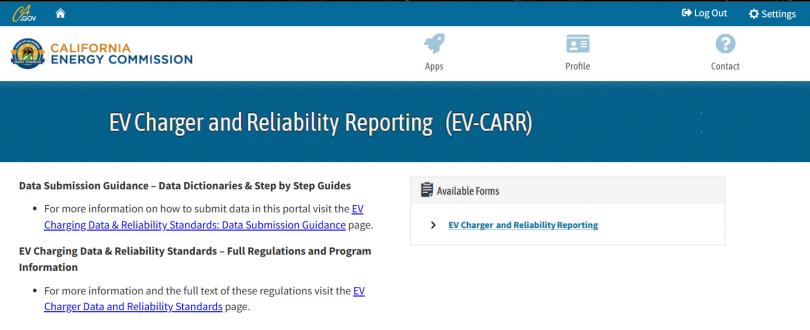
Review application landing page titled, “EV Charger and Reliability Reporting (EV-CARR)”.
- This landing page contains links to learn more information on the required data submittals.
Step 4: Click on Form
Click on the “EV Charger and Reliability Reporting” link under “Available Forms” to start submission process.
Step 5: Complete “EV-CARR” Form
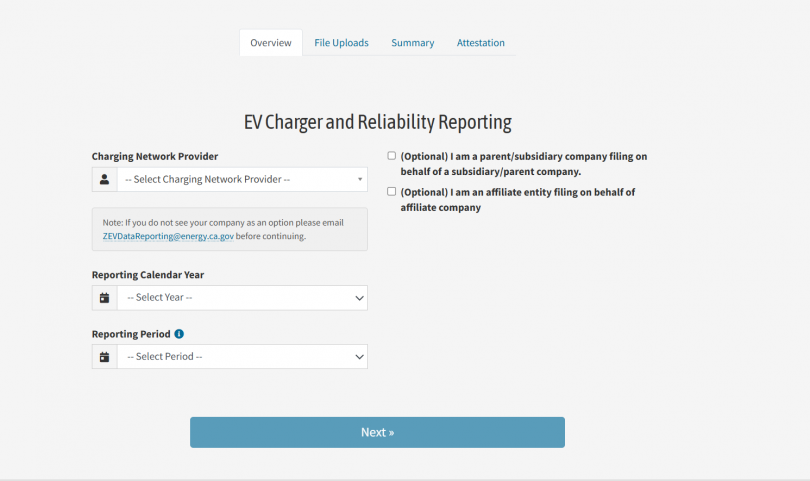
- Select “Charging Network Provider”
- This selection should reflect the provider submitting the information. If you do not see your provider as an option, please email ZEVDataReporting@energy.ca.gov before continuing. (This field is not required if your account was set up as ‘Non-Networked’ during registration).
- Select “Reporting Calendar Year”
- To reflect the year of data submission. If providing more than one year of data, please select the most recent year.
- Select “Reporting Period”
- To reflect the quarter of data submission.
- Click “Next”.
Step 6: Add Files
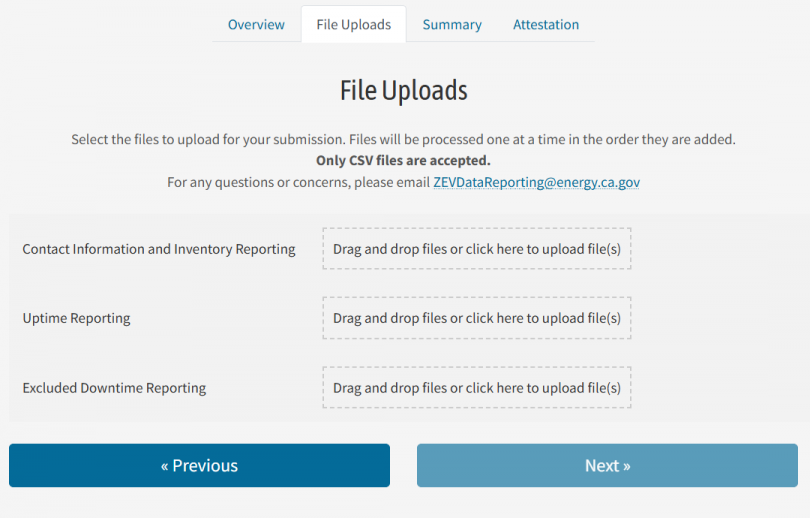
Either drag and drop or click within the corresponding box to upload the corresponding csv template to begin submission.
Note: Only CSV files are accepted. Uploads are subject to error or warning validation. The uploads must conform to the Semi-Annual Charger Data Reporting Specifications. To correct a prior submission, resubmit with the same port identifiers.
Step 7: Review File Validation Messages
If an uploaded file contains errors or warnings, then a message will appear. Select the arrow to the right of “Complete with Errors”, highlighted in a blue box. A summary list of errors and warnings will appear. Select “Download Complete Warning/Error List” to view the errors and warnings in detail.
Note: If any required fields are missing or improperly formatted, you will receive an error detailing what went wrong and you will not be able to proceed with the submission until rectified. You may receive warnings indicating entries that need further attention. We share this as an upfront notification on data quality, but you may still proceed with submission.
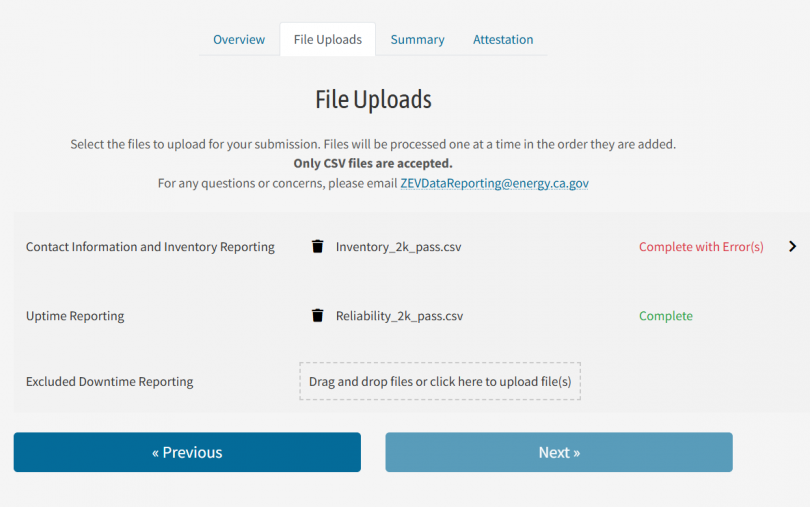
Step 8: Successful Upload
When all files are uploaded successfully, click the “Next” button.
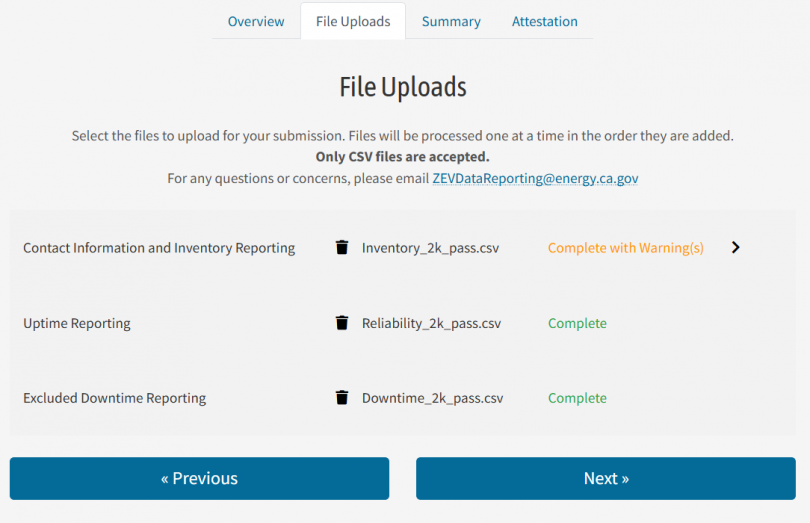
Step 9: Review
See EV-CARR Summary page. Review the summarized data of file submissions.
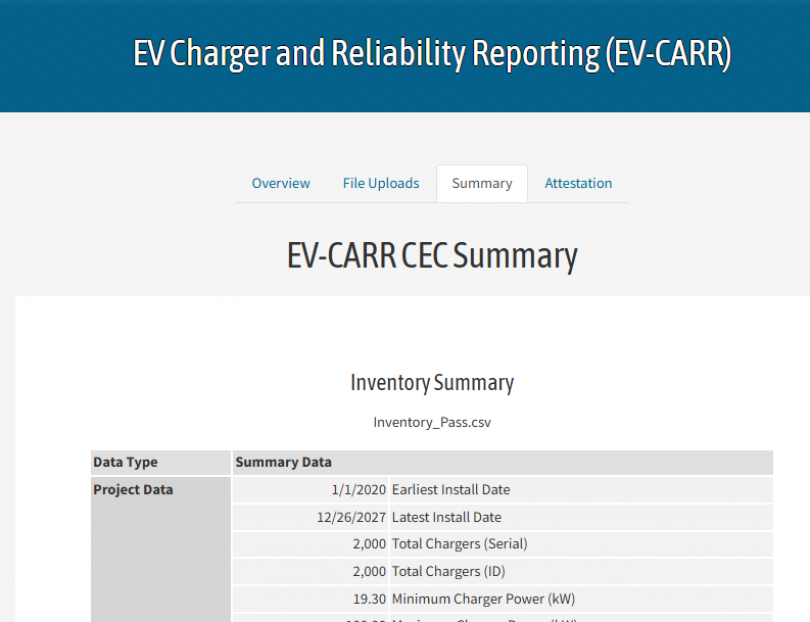
Step 10: Next
When ready to move to the next page, click “Next”.
Step 11: Submit
Complete the Attestation form; click “Submit”.
Step 12: Success
Redirect to a successful submission page.
Step 13: Confirmation Email
Receive confirmation email.