The following instructions will guide you on how to register to the Data Submission Portal (DSP) and request access to the Zero Emission Vehicle Infrastructure Reporting (ZEVIR) – California Energy Commission (CEC) application. Registration to the portal and access to the ZEVIR—CEC application is required to submit data to the CEC.
Step 1: Navigate to Registration Page
Register for an account: Data Submission Portal.
Step 2: Fill out Form
Fill out the fields in the registration form. Please use your company email and contact to aid with verification. Select “Register."
Step 3: Two-Factor Authentication Setup
You may be asked to create a two-factor authentication for more secure login using your company email address.
Step 4: Confirmation Email and Login
After receiving email notification of approval for the data submission portal, proceed to login.
Step 5: Complete Two-Factor Authentication
Follow the two-factor authentication steps. You may be asked to type in the emailed code.
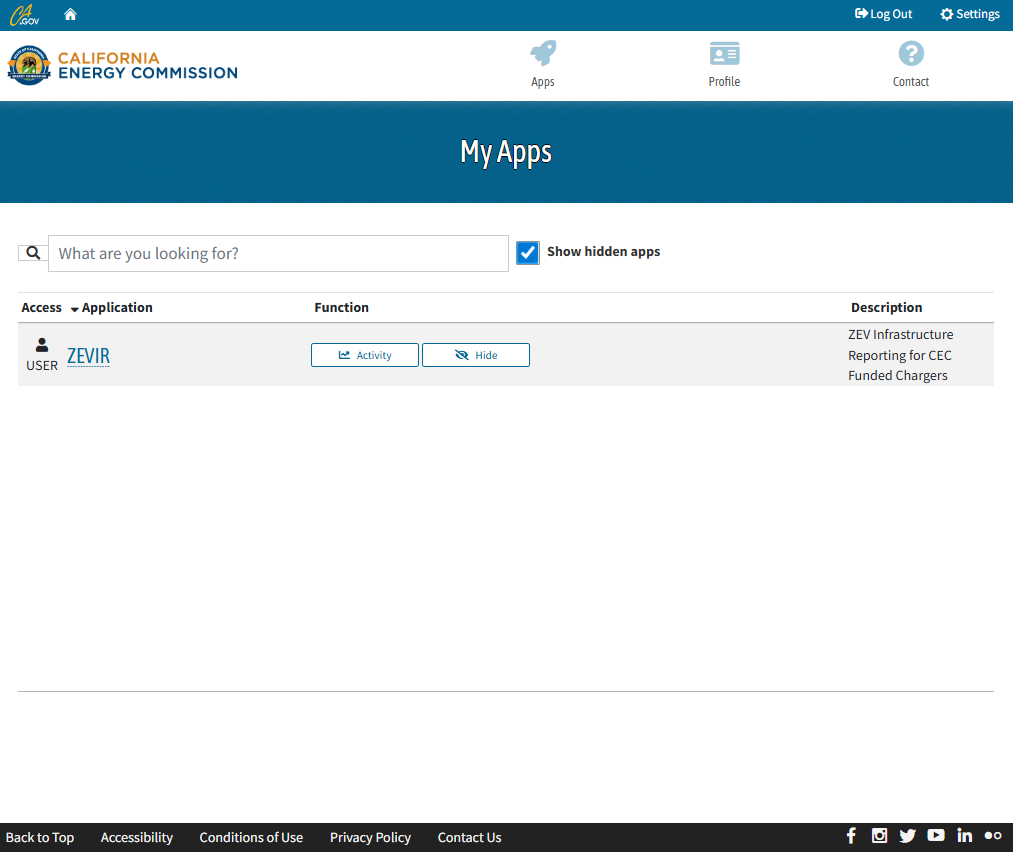
Step 6: Show Hidden Apps
In order to see the application, click the "Show Hidden Apps" box.
Then click on “ZEVIR” for the "Zero Emission Vehicle Infrastructure Reporting CEC App."
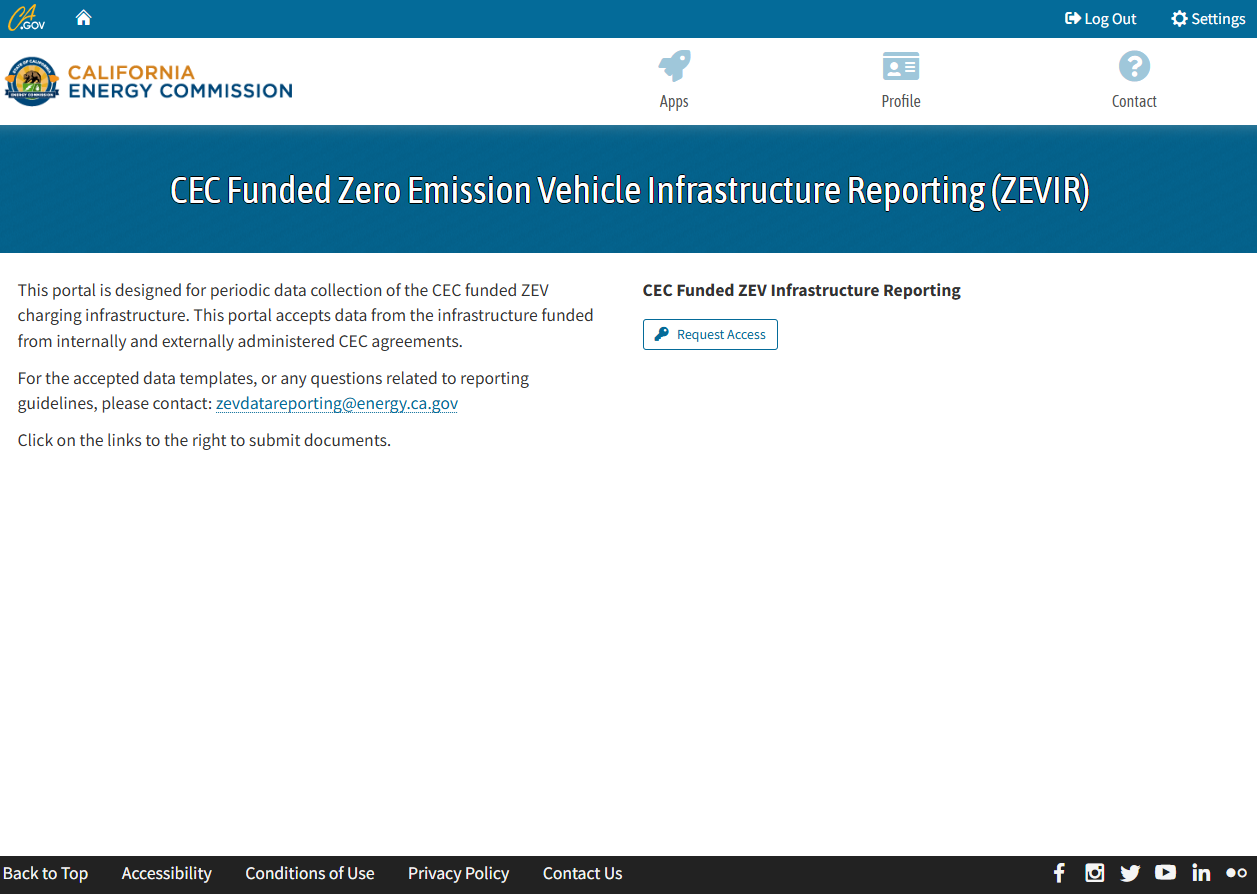
Step 7: Request Access
(First Time User) If entering for the first time click on "Request Access" and wait for an email response.
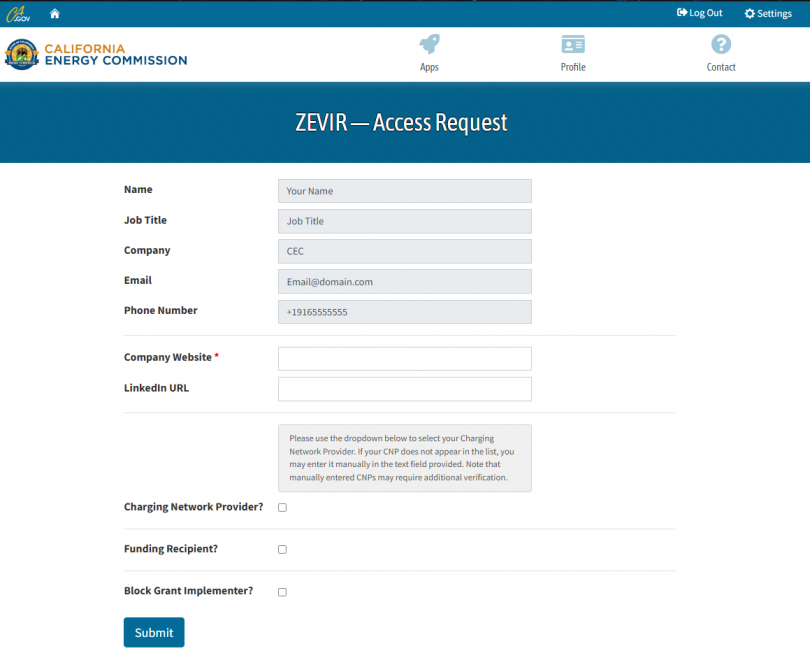
Step 8: Contact and Company Information
Provide contact details. Select all check boxes that apply and provide the corresponding information. More than one box may be selected. Please note that the selection will inform which forms will be required in the data submission process.